2. Simple Customization
In case we do not want to run the standard simulation, we can easily modify the initial conditions.
[2]:
from tripodpy import Simulation
[3]:
sim = Simulation()
The simulation object has an attribute to set the initial conditions Simulation.ini. The attribute is structured in initial conditions for dust, gas, the grid, and the central star. Upon calling Simulation.initialize(), the simulation object will be filled according to the parameters set here. We’ll go through all options one by one.
–> All quantities are in cgs units! <–
[4]:
sim.ini
[4]:
namespace(dust=namespace(aIniMax=0.0001,
                         allowDriftingParticles=False,
                         d2gRatio=0.01,
                         distExp=-3.5,
                         rhoMonomer=1.67,
                         vFrag=100.0),
          gas=namespace(alpha=0.001,
                        Mdisk=9.942049353490256e+31,
                        mu=3.847030424486999e-24,
                        SigmaExp=-1.0,
                        SigmaRc=897587224200000.0),
          grid=namespace(mmin=1e-12,
                         Nr=100,
                         rmin=14959787070000.0,
                         rmax=1.495978707e+16),
          star=namespace(M=1.988409870698051e+33, R=139140000000.0, T=5772.0))
Stellar parameters
The stellar parameters mainly influence the dynamical time scales and the temperature profile.
[5]:
sim.ini.star
[5]:
namespace(M=1.988409870698051e+33, R=139140000000.0, T=5772.0)
M
R
T
Grid parameters
The grid parameters determine the shape of the radial grid. The mass grid is set up automatically in accordance with the two population approach of TwoPopPy. Specifically, the dust surface densities, their source terms, the midplane densities and the flux parameters have only length two in mass dimension. As dynamics between half of and the mass-averaged particle size enter into the calculations at numerous points, however, all other values depending on particle size have four entries in
mass dimension. While we can set our own non-standard radial grid (see later), the mass grid should under no circumstances be meddled with.
[6]:
sim.ini.grid
[6]:
namespace(mmin=1e-12, Nr=100, rmin=14959787070000.0, rmax=1.495978707e+16)
mmin
Nr
Number of radial grid cells, default: 100
rmin
Location of inner radial grid boundary, default 1 AU
rmax
Location of outer radial grid boundary, default 1000 AU
Gas Parameters
The gas parameters define the initial conditions of the gas disk. The standard surface density profile is the self-similar solution of Lynden-Bell & Pringle (1974).
[7]:
sim.ini.gas
[7]:
namespace(alpha=0.001,
          Mdisk=9.942049353490256e+31,
          mu=3.847030424486999e-24,
          SigmaExp=-1.0,
          SigmaRc=897587224200000.0)
alpha
Mdisk
Inital gas disk mass, default: \(0.05\ M_\odot\)
mu
Mean molecular weight of the gas, default: \(2.3\ m_\mathrm{proton}\)
SigmaExp
SigmaRc
Dust Parameters
The dust parameters define the initial conditions of the dust disk and the basic collisional behavior of the dust particles.
[8]:
sim.ini.dust
[8]:
namespace(aIniMax=0.0001,
          allowDriftingParticles=False,
          d2gRatio=0.01,
          distExp=-3.5,
          rhoMonomer=1.67,
          vFrag=100.0)
aIniMax
Initial maximum particle size \(s_{max}\), default: 1 µm
allowDriftingParticles
Flag that trucates the dust distribution in the outer disk if the inital size is larger than the drift limit to prevent surious waves in the inital stage
d2gRatio
Initial dust-to-gas ratio, default: \(10^{-2}\)
distExp
Simulation.ini.dust.aIniMax. The standard model uses the so-called MRN distribution of interstellar grains as initial condition. See Mathis et al. (1977)..rhoMonomer
vFrag
Changing the Initial Conditions
In this example we want to run a simulation with a more massive disk mass. We can use the constants module of TriPoD.
[9]:
from dustpy import constants as c
[10]:
sim.ini.gas.Mdisk = 0.1 * c.M_sun
We can now initialize the simulation as described in the previous section.
[11]:
sim.initialize()
Changing the Snapshots
The standard model runs for 100,000 years and starts writing data files at 1,000 years with 10 files per time decade. In this example, we only want to run the simulation for 10,000 years with only 5 snapshots per decade. This can easily be set by modifying Simulation.t.snapshots.
[12]:
import numpy as np
[13]:
sim.t.snapshots = np.logspace(3, 4, num=6, base=10) * c.year
Changing the Output Directory
By default, TwoPopPy will protect already existing data files. If we ran the simulation now, an error would be raised, because we have already existing data files in the output directory from the previous chapter.
We could either set Simulation.writer.overwrite to True to overwrite our existing data files or we could change the name of the output directory.
[14]:
sim.writer.datadir = "2_data"
The simulation is now ready to go.
[15]:
sim.run()
tripodpy v1.0.0

Creating data directory 2_data.
Writing file 2_data/data0000.hdf5
Writing dump file 2_data/frame.dmp
Writing file 2_data/data0001.hdf5
Writing dump file 2_data/frame.dmp
Writing file 2_data/data0002.hdf5
Writing dump file 2_data/frame.dmp
Writing file 2_data/data0003.hdf5
Writing dump file 2_data/frame.dmp
Writing file 2_data/data0004.hdf5
Writing dump file 2_data/frame.dmp
Writing file 2_data/data0005.hdf5
Writing dump file 2_data/frame.dmp
Execution time: 0:00:01
The simulation has now run for 10,000 years
[16]:
sim.t / c.year
[16]:
10000.0
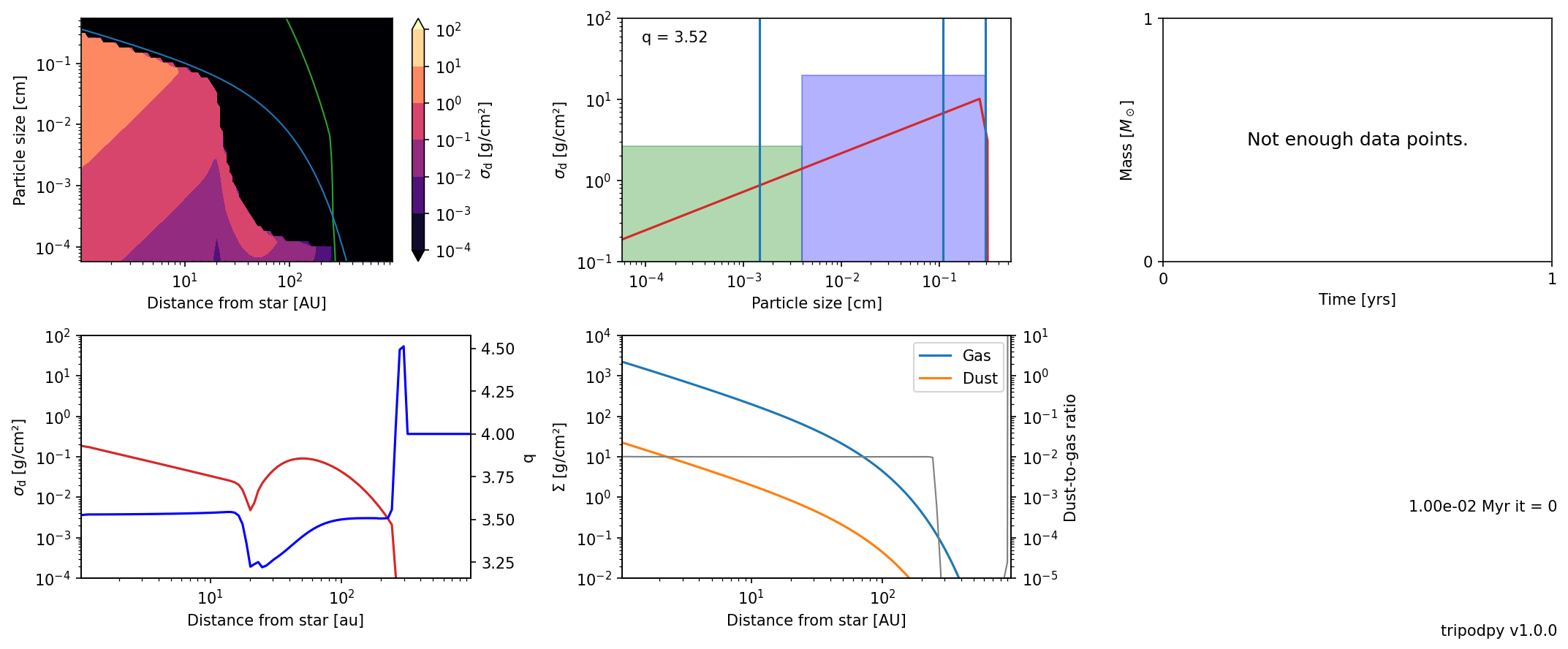
and we can have a look at the current state.
[17]:
from tripodpy import plot
[18]:
plot.panel(sim)